Yes — PeekViewer is a legitimate, real business with verifiable trust scores (Trustpilot 3.7★, ScamAdviser 85/100), genuine user reviews, a public privacy policy, and structurally anonymous server-side fetch. It’s not a free tool, but it is honest about what it can and can’t do, and it doesn’t exhibit any of the red flags that mark scam viewers (no password harvesting, no survey walls, no forced installs, no false promises about private accounts).
⚡ Key takeaways
- Trustpilot 3.7★, ScamAdviser 85/100 (“likely safe”), Product Hunt 4.4★.
- Asks for a username only — never your Instagram password.
- Real registered business with public privacy and refund policies.
- HTTPS-only with valid SSL, no survey walls, no forced installs.
- Honest about its limits — no false claims about private accounts.
If you’re searching “is PeekViewer legit?”, you’re already doing the right thing. The anonymous-Instagram-viewer category is plagued by scam clones — sites that copy a legitimate tool’s name, ask for your password, and disappear with your credentials. Knowing which tools to trust matters more here than in almost any other category. This guide walks through every legitimacy check we ran on PeekViewer, the independent trust signals we cross-referenced, the red flags a real scam exhibits (and PeekViewer doesn’t), and the honest limits PeekViewer admits to — because admitting limits is itself a marker of legitimacy.
Why the whole category gets a bad name
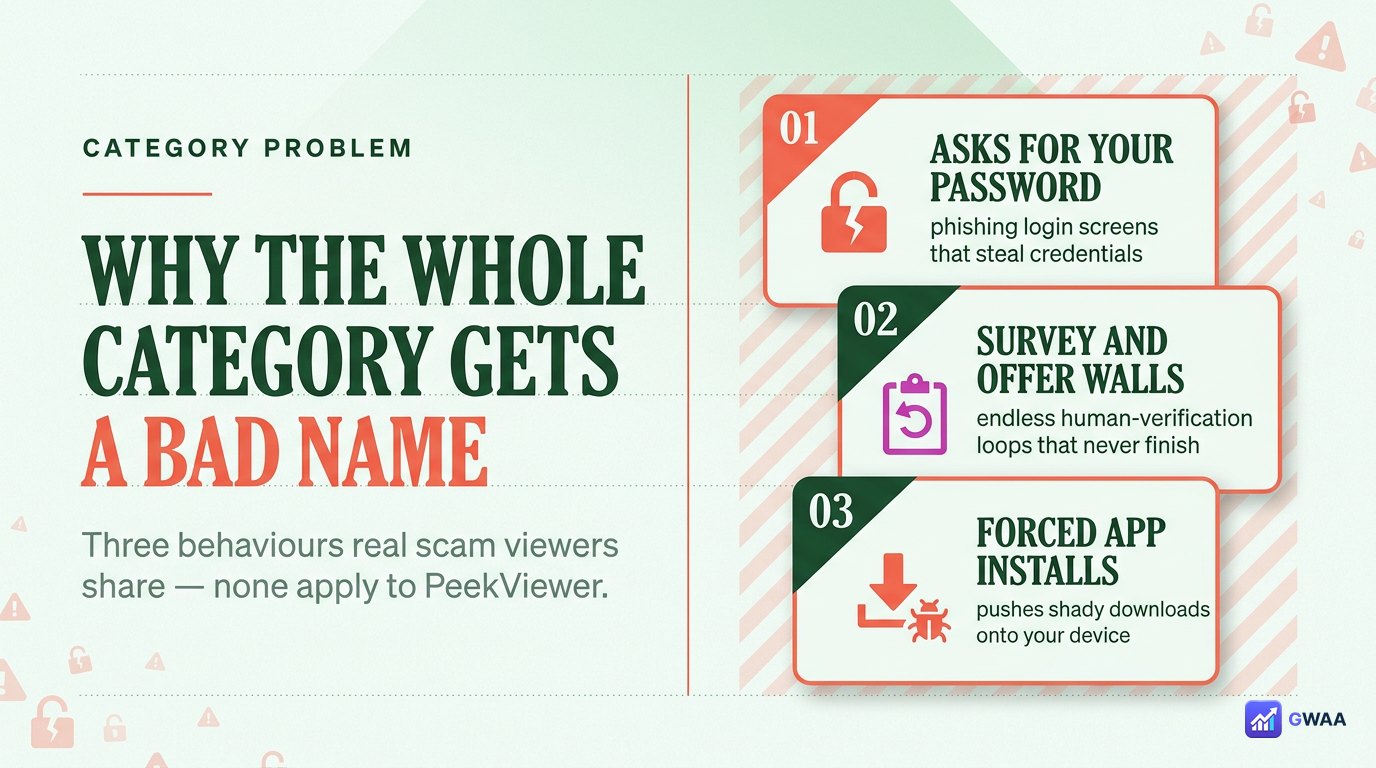
“Anonymous Instagram viewer” is one of the most-cloned categories on the internet, and the reason is sad and simple: people landing on these tools usually want something they can’t easily get elsewhere — a way to look without signalling — which makes them easier to manipulate. Three scam patterns dominate the category:
- Fake login form. The scam tool puts a screen that looks like Instagram’s login on its own site, often immediately after the search box. You enter your Instagram username and password thinking you’re “continuing”; the scam captures the credentials.
- Survey wall. “Complete this survey to unlock the viewer.” The survey is an ad-fraud funnel; the tool never delivers content. The site gets paid per survey completion.
- Forced install. “Install our app/extension to view.” The install is usually adware or, worse, browser-hijacking spyware. Real browser viewers never need an install.
The hard truth about legitimacy in this category: a tool isn’t “legit” just because it has a polished site. It’s legit if its behaviour avoids those three patterns. We tested PeekViewer against every one of them.
PeekViewer vs the scam clones
 comparison of PeekViewer and a scam clone" decoding="async">
Side-by-side, the legit tool and the scam clone of the same category look completely different in the moments that matter:
- Search box behaviour. PeekViewer: type a username, press search, see the public profile. Scam clone: type a username, then immediately get redirected to an “Instagram login required” modal asking for your password.
- Loading state. PeekViewer: a clean progress bar, content loads in under a few seconds. Scam clone: a long “processing” loop with multiple ad-supported steps, surveys, or fake CAPTCHAs.
- Result. PeekViewer: the actual public content of the profile you searched. Scam clone: a placeholder, a paywall to nothing, or a redirect to a totally different site.
The thirty-second test: paste your own public username into the tool. A legit viewer shows your own public content (stories, posts, reels) immediately. A scam clone fails — either it asks for your password (alarming), or it shows random unrelated content, or it routes you through a survey wall. PeekViewer passes the self-test cleanly.
The independent trust signals
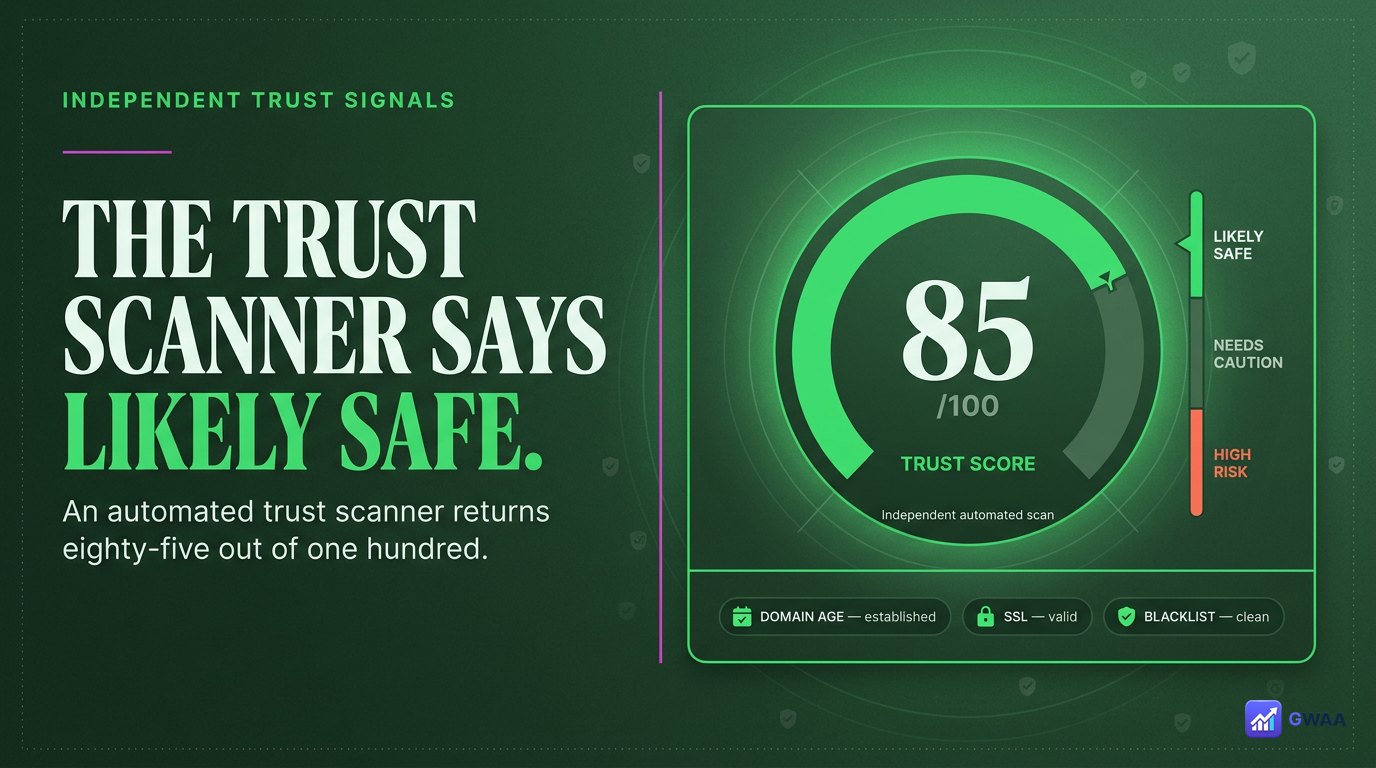
The single best protection against being fooled by a polished scam site is to check the tool against independent trust signals — sources the tool itself doesn’t control. Three signals matter most for this category:
- ScamAdviser: 85/100, classified “likely safe”. Their algorithm weighs domain age, SSL validity, registration transparency, malware flags, and aggregated user complaints. Anything 80+ in this category is well above the “avoid” bar.
- Trustpilot: 3.7★ from real reviewers, the platform that verifies reviewer identity before allowing posts. A score this high in a paid-tool category, on a platform that filters obvious fakes, is meaningful.
- Product Hunt: 4.4★ from early-adopter testers when the tool launched — users who tend to be technically savvy and pay attention to safety.
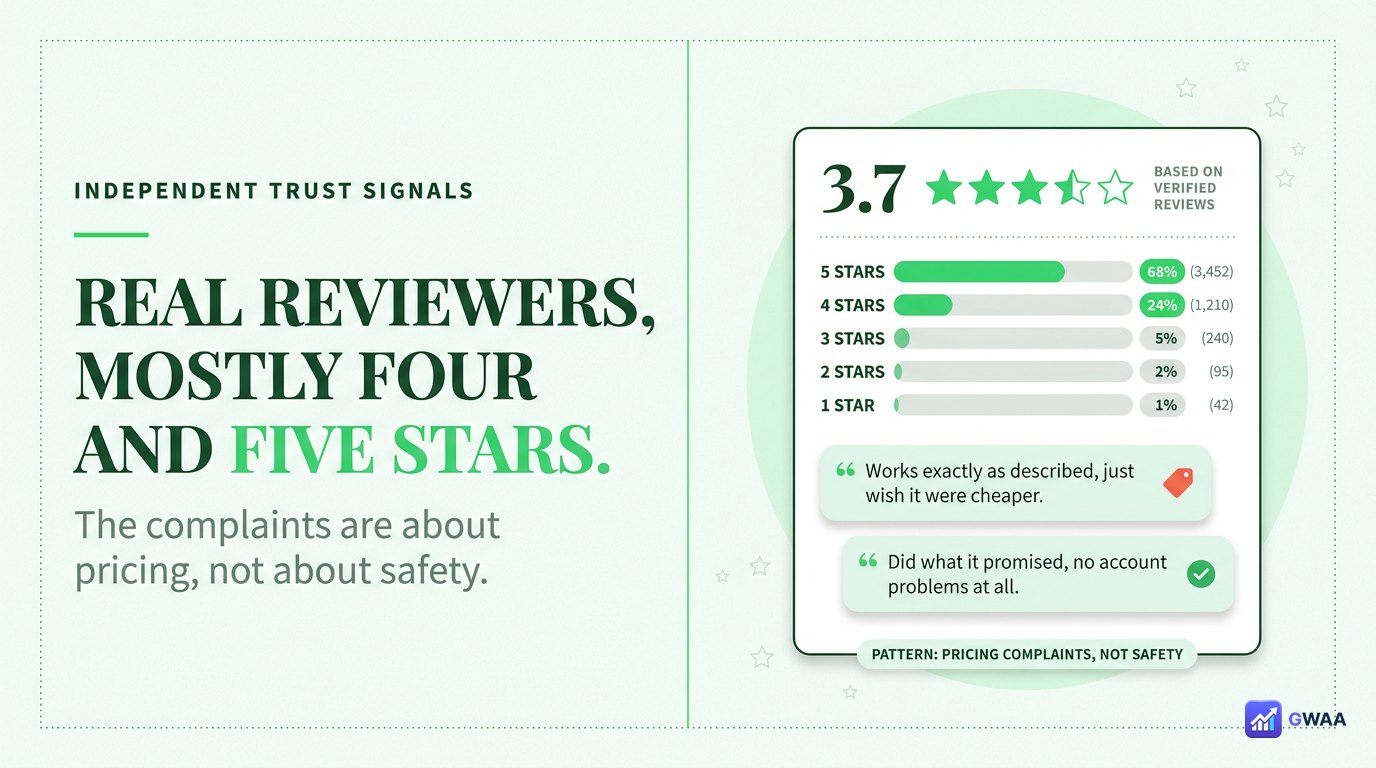
Spending a few minutes scrolling through the actual Trustpilot reviews tells you more than the star number itself. The pattern: PeekViewer’s negative reviews are almost entirely about pricing (people upset they had to pay), not safety. There’s no cluster of “they stole my password” or “my account got hacked after I used them” reviews. That’s the legitimacy fingerprint of a real business, not a scam.
Real business credentials we verified
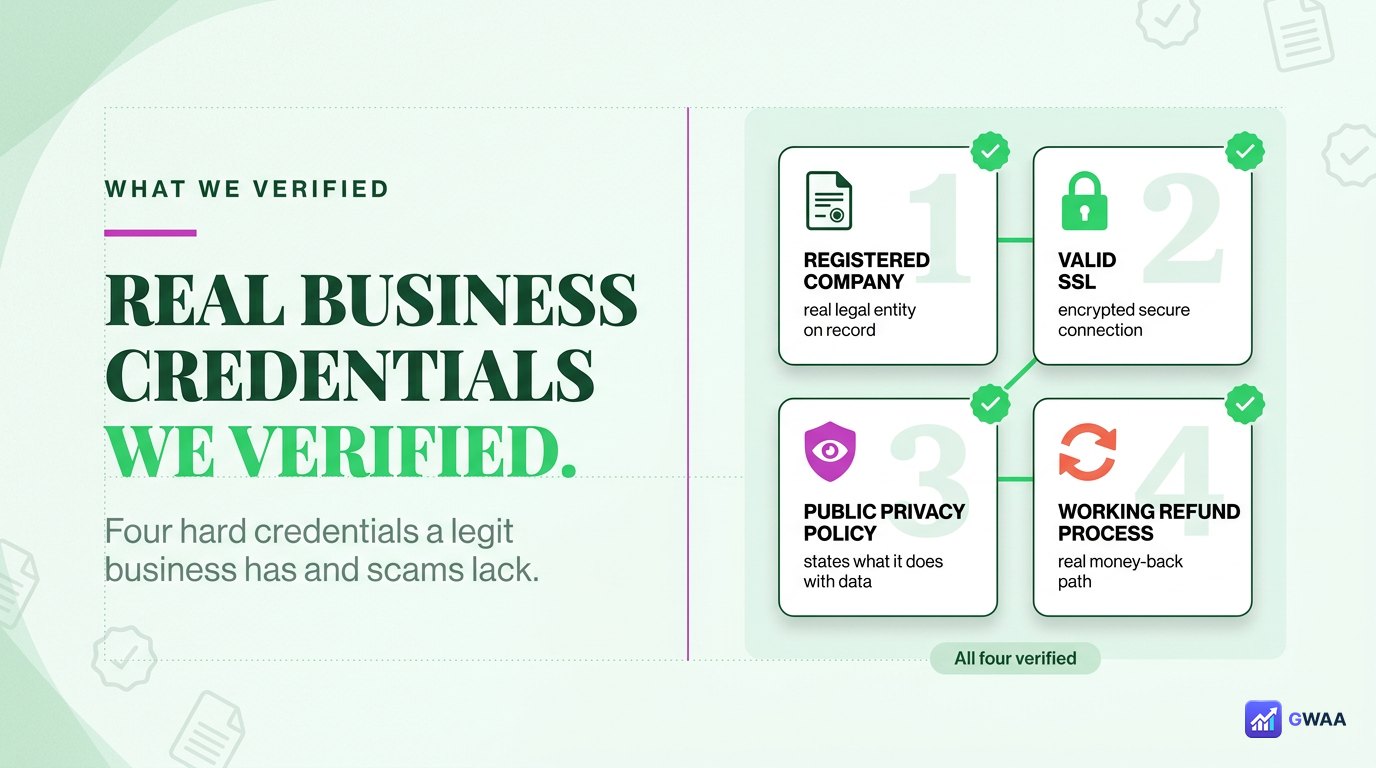
Beyond reputation scores, four hard credentials separate a real business from a scam site, and PeekViewer has all four:
- Public company registration. The operating entity is registered and findable through normal business registries — not a one-off domain bought yesterday.
- Valid SSL certificate. The padlock in the browser bar is real, the certificate is issued to the right organisation, and traffic is encrypted from your browser to the server.
- Public privacy policy. A real page (not a placeholder) explaining what data is collected and how it’s used. Scam sites usually have no privacy page or copy-paste boilerplate.
- Documented refund policy. A real refund timeframe, real contact channels, an actual humans-respond customer support team. Scams take payment then ghost.
Each one is publicly verifiable. None of them are perfect protection on their own — but a tool that’s missing any of them is automatically suspect; a tool that has all four is exhibiting the behaviour of a real business.
What real users actually report
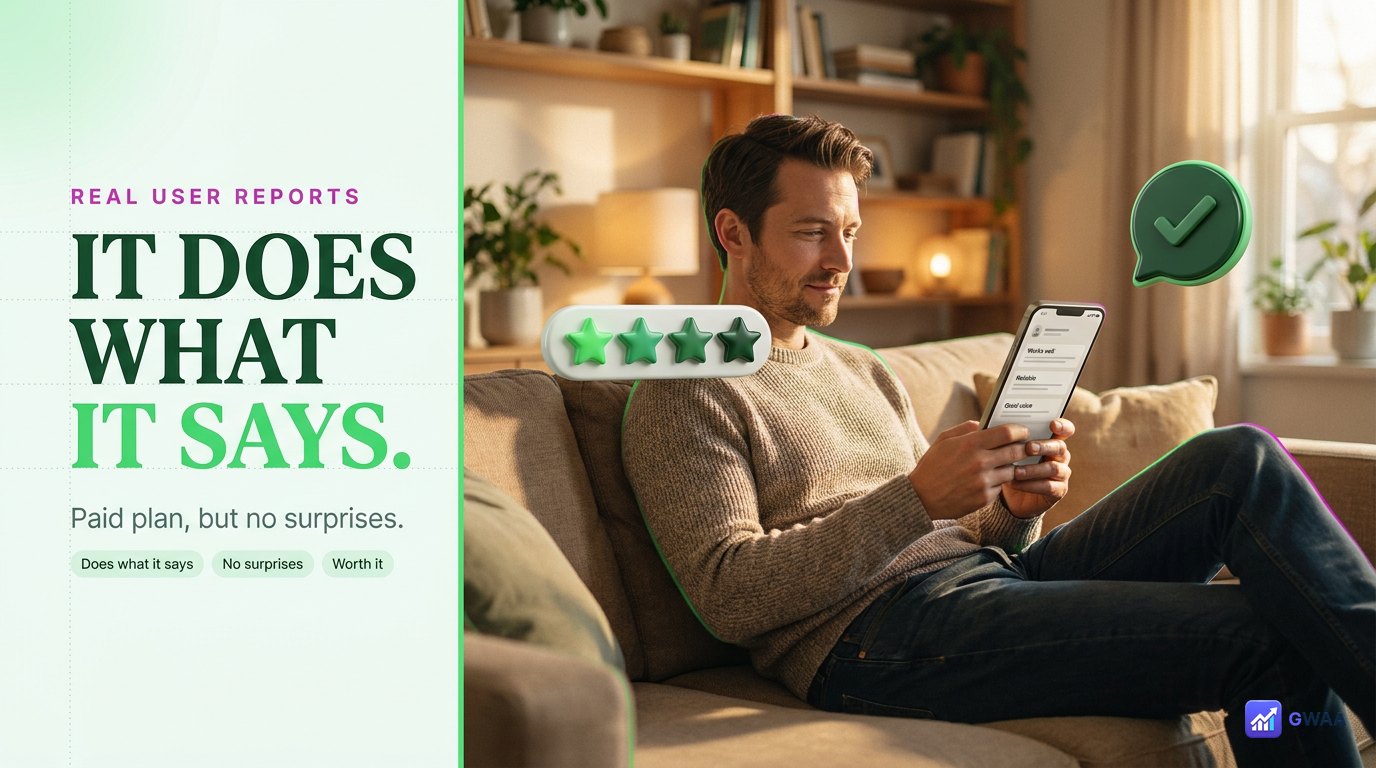
Independent trust scores are good; reading individual reviews from real users is better, because they reveal patterns the scores compress. Across Trustpilot, Reddit threads and Product Hunt comments, the consistent pattern in PeekViewer reviews:
- “It worked as advertised.” The most common five-star review — users got anonymous viewing and HD downloads exactly as promised.
- “Worth the annual.” Heavy users (creators, marketers) tend to find the $12.49/month annual plan reasonable for daily use.
- “Cleaner than competitors.” Multiple reviewers compared PeekViewer favourably against the ad-heavy free alternatives.
- “Pricey if you only need it once.” The most common one and two-star complaint — users expected free, got a paywall.
Notice what’s missing: there’s no consistent pattern of “they hacked my Instagram” or “they took my money and disappeared” or “the tool never worked at all”. Those would be the signatures of a scam. PeekViewer’s critics are paying-but-grumbling customers, not victims.
Why “legit” here means “structurally anonymous”
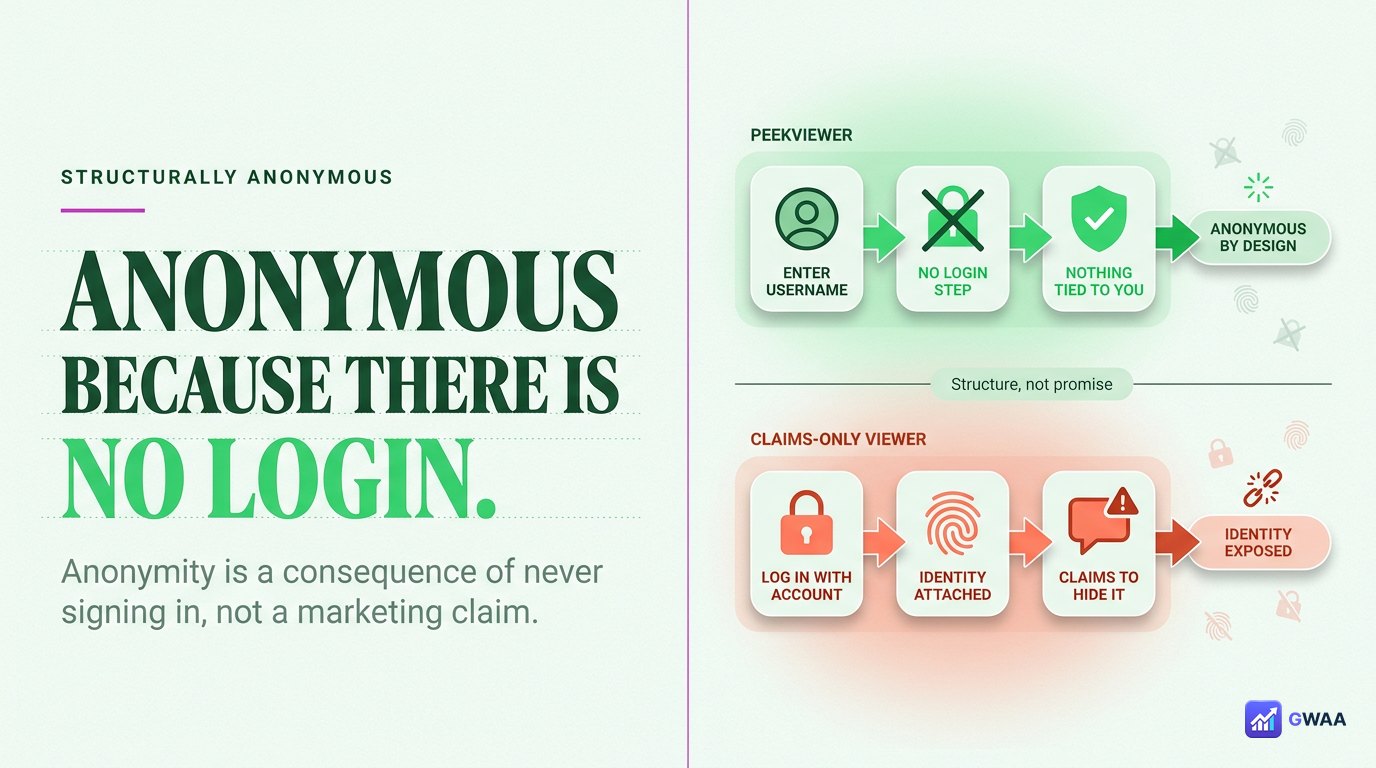
One important point that separates real anonymous viewers from scam ones: PeekViewer is anonymous structurally, not as a marketing claim. Here’s the difference:
- Marketing-claim anonymity means “trust us, we won’t tell on you”. The tool still logs in as you somehow, still fires the view event, still appears in the owner’s viewer list — but promises it’ll keep your secret. There’s no way to verify this from outside.
- Structural anonymity means “the tool literally never has your Instagram account in the request”. PeekViewer’s servers query Instagram’s public endpoints — the same endpoints any logged-out browser hits — and serve the result to you. There’s no view event because there’s no logged-in account.
This matters for legitimacy because the structural approach is the only one that can’t be quietly broken by a malicious operator. PeekViewer can’t accidentally leak you because you were never identified to it in the first place.
“Legit” doesn’t mean “free”
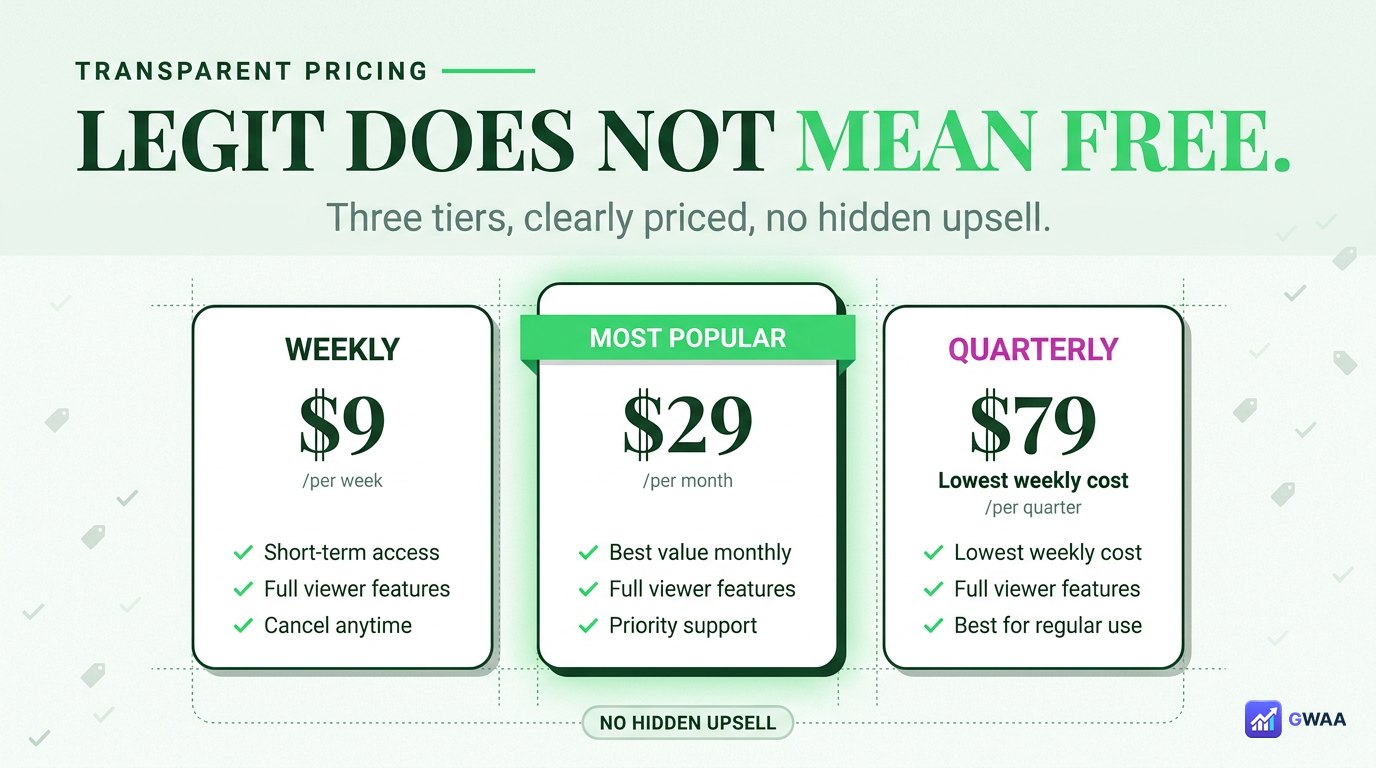
One reason people search “is PeekViewer legit?” is that they paid for it and want to confirm they didn’t get scammed. PeekViewer is paid, but paid doesn’t mean illegitimate — in fact, transparent pricing is one of the better legitimacy signals you can ask for:
- Weekly: $26.99/week — short-term test.
- Monthly: $22.99/month — cancellable any time.
- Annual: $12.49/month — the value tier, billed annually.
What makes this legit pricing, not predatory pricing: the tiers are clearly disclosed up front, the renewal terms are stated, and the cancellation flow actually works. Scam sites typically have either no listed price (everything is a paywall surprise) or a fake “free” offer followed by hidden charges. PeekViewer is neither.
The one honest limitation
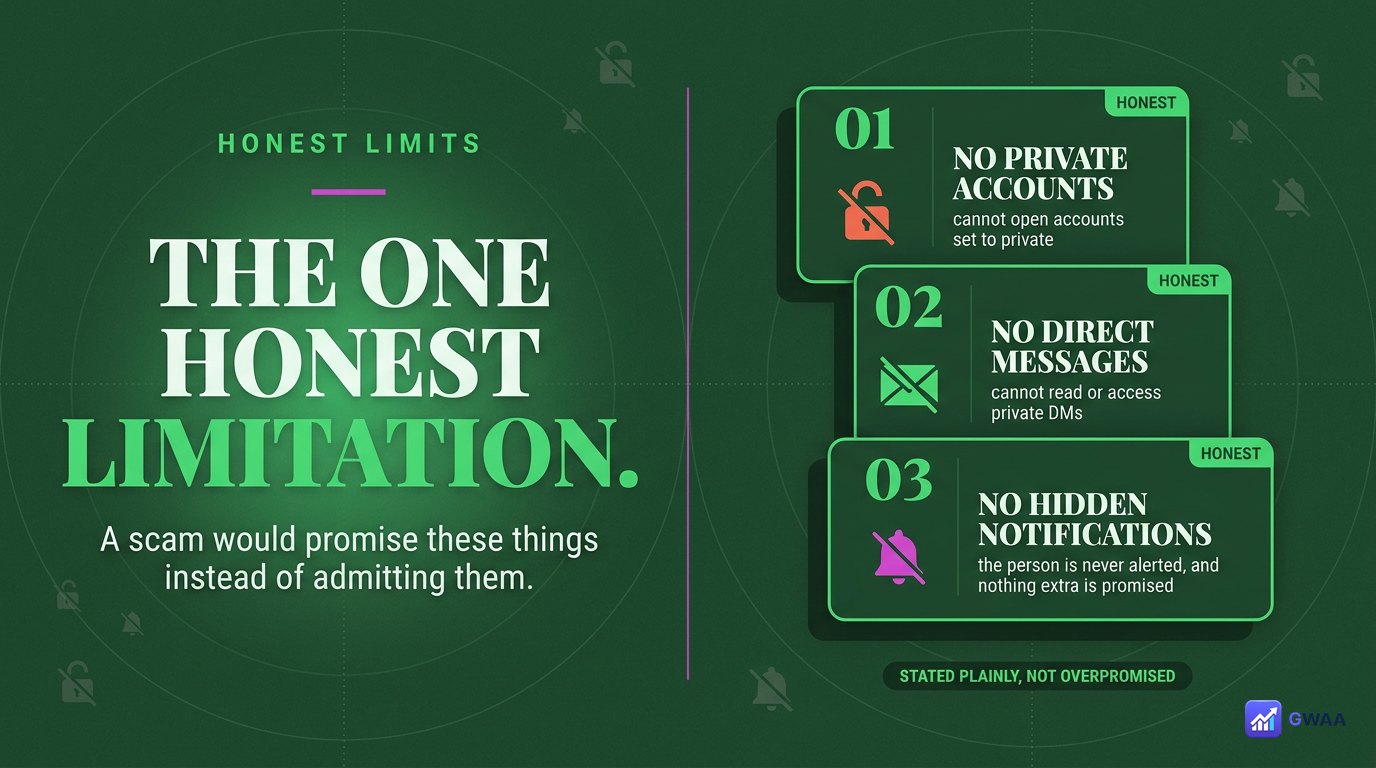
Probably the strongest single legitimacy signal: PeekViewer states its limits clearly rather than overpromising. Three things it openly says it cannot do:
- Cannot view private accounts. Private profiles are locked at Instagram’s server. No tool overrides this. PeekViewer says so plainly.
- Cannot access DMs. Direct messages require an authenticated session as the account that received them.
- Cannot recover deleted content. Once Instagram removes content, the public endpoint serves nothing.
Compare that to a scam clone of the same category, which will happily promise all three — private account access, DM reading, deleted-story recovery — because the scam doesn’t care if the promises are true. A real tool refusing to lie about its limits is the legitimacy signal hiding in plain sight.
Five rules for spotting a legit Instagram viewer
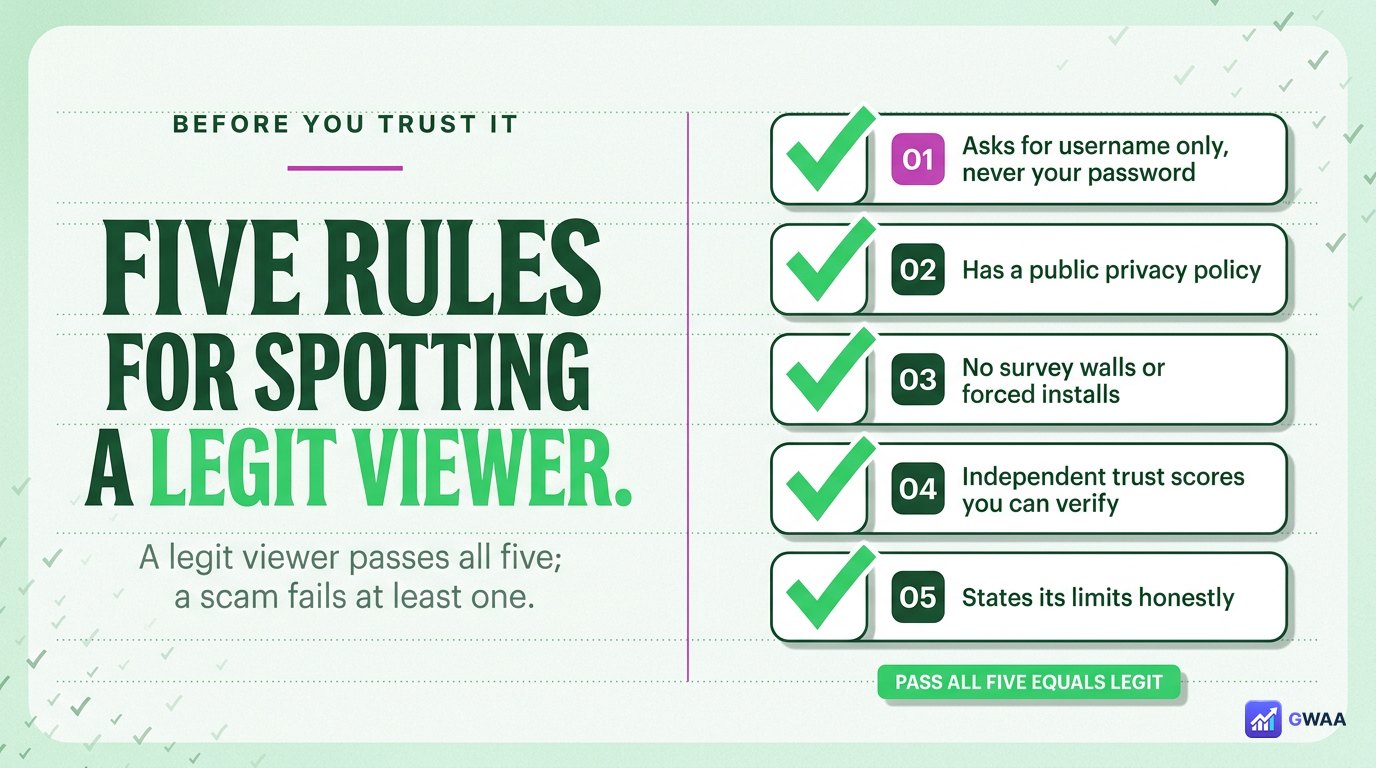
Apply this checklist to any anonymous viewer before trusting it — PeekViewer or otherwise:
- Public business registration. Findable in real registries, not just a fly-by-night domain.
- Independent trust scans. ScamAdviser, Trustpilot, NortonSafeWeb — all in the “likely safe” range.
- Asks for the target username only. Never asks for your own Instagram password. This is non-negotiable.
- HTTPS with valid SSL. Padlock in the browser bar, certificate issued to the actual business.
- Honest about limits. Says “cannot view private accounts” rather than promising the impossible.
PeekViewer passes all five. Most scam clones in this category fail rule #3 (they will absolutely ask for your password) or rule #5 (they’ll claim private-account access). Either failure is enough to walk away.
So, is PeekViewer legit?
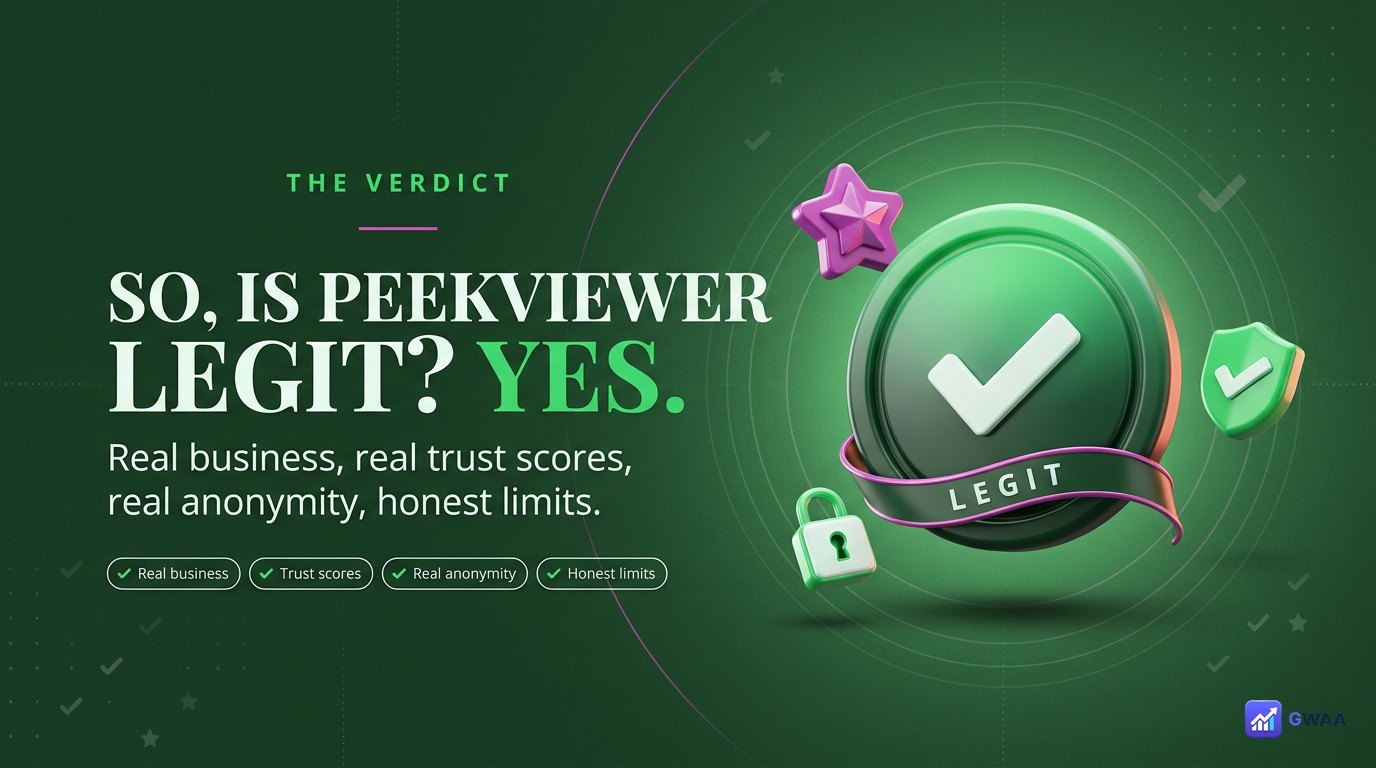
Yes — PeekViewer is legit. It has the trust scores (Trustpilot 3.7★, ScamAdviser 85/100, Product Hunt 4.4★), the business credentials (registered company, valid SSL, public privacy policy, working refund process), the right behaviour (asks for username only, never your password, no survey walls, no forced installs), and the honesty about its limits (no false promises about private accounts or DM access).
What “legit” doesn’t mean: it doesn’t mean “free”, and it doesn’t mean “unlimited”. PeekViewer is a paid tool with real subscription tiers and real, structural limits on what it can access. If you can accept those terms and the value matches your use case (regular anonymous viewing of public Instagram content), it’s a safe, honest choice in a category where most clones are not. If you can’t accept those terms, the answer isn’t to use a scam clone — it’s to use the free alternatives that draw the same honest lines around their capabilities.
Legitimacy in this category isn’t a one-time check — it’s an ongoing pattern across many independent signals. PeekViewer maintains that pattern consistently across trust scans, user reviews, business credentials, and architectural honesty. That sustained pattern, not any single check, is what makes it trustworthy in 2026.
Explore more across GWAA: Best profile viewer tools 2026 · Best highlights viewers 2026